Recent Searches
Category

Microsoft Copilot Courses

Category

Microsoft Power BI

Category

AI for Business

Category

Microsoft Excel

Category

Professional Development

Category

Microsoft Office 365

Category

Excel Specialist

Category

Microsoft Project

Category

R Programming

Category

Python

Category

SQL

Category

Power Apps

Category

SharePoint

Category

Power Automate

Category

Microsoft Teams

Category

Microsoft Visio

Category

Microsoft PowerPoint

Category

Microsoft Word

Category

Microsoft Outlook

Category

WordPress

Category

Canva Courses

Category

Microsoft Access

Category

Webinars Old

Course

Copilot for M365

Course

Power BI Beginner

Course

ChatGPT Beginner

Course

Excel Beginner

Course

Achieving Leadership & Success

Course

Microsoft 365 Beginner

Course

Financial Modelling

Course

Project Beginner

Course

R Programming Beginner

Course

Python Beginner

Course

SQL Beginner

Course

Power Apps Beginner

Course

SharePoint Beginner

Course

Teams Essentials

Course

Visio Essentials

Course

PowerPoint Level 1

Course

Word Beginner

Course

Microsoft Outlook Beginner to Intermediate

Course

WordPress Essentials

Course

Canva Beginners

Course

Microsoft Access Essentials

Course

Build Your EQ Power: Practical Skills for Everyday Work

Course

Copilot for Word

Course

Power BI Intermediate

Course

Excel Intermediate

Course

Microsoft 365 Intermediate

Course

Analysis and Dashboards

Course

Project Intermediate

Course

R Programming Intermediate

Course

Python Intermediate

Course

SQL Intermediate

Course

Power Apps Intermediate

Course

SharePoint Intermediate

Course

PowerPoint Level 2

Course

Word Intermediate

Course

Canva Intermediate

Course

Microsoft Access Advanced

Course

Practical Project Management Webinar

Course

Copilot for Excel

Course

Power BI Advanced

Course

Excel Advanced

Course

Microsoft 365 Advanced

Course

Excel VBA

Course

Project Advanced

Course

R Programming Advanced

Course

Python Advanced

Course

SQL Advanced

Course

Power Apps Advanced

Course

SharePoint Advanced (Site Owner)

Course

Word Advanced

Course

Canva Advanced

Course

Minutes Taking Webinar

Course

Copilot for PowerPoint

Course

Power BI DAX

Course

Excel Expert

Course

Machine Learning in R

Course

SharePoint Advanced

Course

Maximising Your Copilot Investment: Turning AI into Real Productivity Gains

Course

Copilot for Outlook and Teams

Course

AI in the Workplace Webinar

Course

Copilot for Outlook and Teams (1)

Course

Writing Great Prompts for AI

Course

Copilot for Outlook and Teams (2)

Course

Inclusive App Development with Power Apps

Course

Copilot for Outlook and Teams (3)

Course

Power Automate Beginner

Course

Copilot for Outlook and Teams (4)

Course

Power Automate Intermediate

Course

Microsoft Outlook Advanced

Course

Copilot for Outlook and Teams (5)

Course

AI Prompting Fundamentals

Course

Power Automate Advanced

Course

Copilot for Outlook and Teams (6)

Course

Excel Tables and Pivot Tables

Course

Copilot for Outlook and Teams (7)

Course

Data Transformation with Power Query

Course

Excel Macro Mastery

Course

Copilot for Outlook and Teams (8)

Course

Power BI Desktop Advanced Reporting

Course

AI for Business Leaders and Managers

Course

Copilot for Outlook and Teams (9)

Course

Data Visualisation with Power BI Desktop

Course

AI for Business Leaders

Course

Copilot for Outlook and Teams (10)

Course

Anger Management & Negotiation Skills

Course

Assertiveness & Confidence

Course

Building Resilience

Course

Coaching and Mentoring

Course

Communications

Course

Communications & Quality Client Service Training

Course

Critical Thinking and Problem Solving

Course

Cultural Diversity in the Workplace

Course

Embracing Change

Course

Growing Emotional Intelligence

Course

Minute Taking

Course

Persuasion and Negotiation Skills

Course

Presentation Skills and Public Speaking

Course

Practical Project Management

Course

Respect, Equity and Diversity (RED)

Course

Resumé Writing and Interview Skills

Course

Stress Management

Course

Team Leadership, Management and Development

Course

Time Management Intensive

Course

Train the Trainer

Course

Write Effective Business Documents

Course

Dealing with Difficult People

Course

Managing Difficult Conversations

Course

Managing the Virtual Workplace

This course is delivered live online, remotely across Malaysia. 

To attend remotely from Malaysia, select "Remote East" or "Remote West" as your location when you book now.

Microsoft Copilot is transforming how we work and this course is your gateway to using it effectively in Microsoft Outlook and Teams. Whether you're sending emails, managing meetings, or collaborating across channels, Copilot helps streamline your day and reduce manual effort.

This full-day, hands-on course introduces Copilot in a practical, accessible way. You'll learn how to write smarter, meet better, and collaborate faster all using the tools you already work with every day.

If you use Outlook and Teams, this course is for you.

By the end of this course, you’ll confidently use Microsoft Copilot to:

  • Draft and refine professional emails
  • Summarize threads and inboxes to find what matters fast
  • Catch up on chats, meetings, and projects in Teams
  • Prompt Copilot Chat to retrieve updates and insights
  • Automate meeting prep and follow-up
  • Create announcements, posts, and shared content with AI assistance
  • Save time with repeatable, high-impact prompts

Course Details

Download Course PDF
Price
RM 1,685
Duration
1 day
Times
9am-4pm
Class Size (max)
8
Class Size (avg)
6
Reference Materials
Provided
CPD Hours
6 hours
Delivery
Instructor-led training
Live Online
Address
N/A

Upcoming Courses

Remote KUL

Remote KUL
Date
Course
City
Status
Mon 28 Sep 26
Mon
28
Sep
Copilot for Outlook and Teams
Remote KUL
Status: Scheduled
Scheduled
Scheduled
Taking enrollments.
Confirmed
Taking enrollments.
Few Seats left
Book Now.
Sold Out
Try another date.

Copilot Training Courses

Course Icon Copilot for M365

Learn how to use Copilot across Word, Excel, Outlook and more. Get hands-on with AI-powered tools to boost productivity and streamline everyday tasks.

download course pdf
Price: RM 1,475
Course Icon Copilot for Excel

Use Copilot to analyse data, write formulas, build dashboards and automate reporting. Make Excel smarter, faster and easier.

download course pdf
Price: RM 1,685
Course Icon Copilot for PowerPoint

Turn ideas into polished presentations with AI. Learn how to draft slides, enhance visuals and create content using natural language.

download course pdf
Price: RM 1,685
Course Icon Copilot for Word

Write, edit and summarise documents faster with Copilot. Save time and improve quality using AI in Microsoft Word.

download course pdf
Price: RM 1,685

Copilot for Outlook and Teams Malysia Course Content

Expand All | Collapse All

Prompting Effectively with Copilot

Why vague prompts create risky HR outputs

The Goal-Context-Sources-Expectations prompt model

Using constraints to control tone, scope, and risk

Preventing invented facts and inappropriate advice

Refining a prompt once, then editing manually

Policy Interpretation and Guidance

Reviewing an HR policy or procedure

Identifying what is clear versus ambiguous

Drafting guidance for a manager or employee

Highlighting areas requiring confirmation or escalation

Output: policy guidance summary

Employee Issue and Response Drafting

Drafting a professional response to an employee or manager

Controlling tone, neutrality, and compliance risk

Avoiding legal or disciplinary advice beyond scope

Output: draft HR response communication

HR Recommendation and Next-Step Options

Presenting possible HR approaches or next steps

Identifying risks and dependencies

Recommending a cautious, staged approach

Output: HR recommendation outline

HR Options and Decision Support

Presenting multiple response or action options

Making trade-offs explicit (risk, precedent, employee impact)

Drafting internal justification language

Output: HR options summary

Researcher Agent: Scaling HR Research After the Fundamentals

Why Researcher is not a replacement for HR judgement

When Researcher is appropriate (policy comparison, legislative scanning, precedent research)

How to convert manual HR research steps into a Researcher task

Responding to Researcher clarification questions

Reviewing and validating Researcher outputs before use

Frequently Asked Questions

What is this course about?

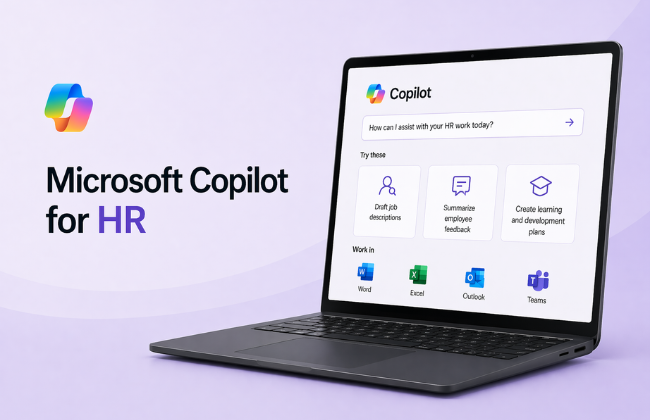
M365 Copilot for HR is a half-day, scenario-based workshop that teaches HR professionals how to prompt Microsoft Copilot effectively, carry out disciplined HR research and reasoning, and use the Researcher agent to scale that work once the fundamentals are in place. It focuses on research quality, guidance clarity, and responsible AI use across HR work.

Who should attend this course?

This course is suited to HR managers and HR business partners, HR generalists and advisors, people and culture teams, and anyone responsible for HR guidance, policy interpretation, or employee advice. No prior AI or prompting experience is required.

What will I be able to do after completing this course?

You will be able to write clear, effective prompts using a repeatable structure, use internal and web information responsibly for HR tasks, separate facts, assumptions, and risks in HR scenarios, apply prompting discipline across common HR workflows, recognise when deeper research is required, and use the Researcher agent to scale HR research responsibly.

What is the Researcher agent and when is it introduced?

The Researcher agent is a Microsoft 365 Copilot capability that can accelerate HR research tasks such as policy comparison, legislative scanning, and precedent research. It is introduced only after participants have demonstrated that they can analyse HR issues and evidence themselves, ensuring it is used to support professional judgement, not replace it.

Do I need any prior AI or Copilot experience?

No prior AI, prompting, or Researcher experience is required. Familiarity with basic HR concepts such as policies, employee relations, and compliance is expected. Access to Microsoft 365 Copilot is recommended to get the most from the hands-on exercises.

How long is the course and how is it delivered?

The course runs for half a day (3.5 hours). It is delivered instructor-led, either in-person or live online, and is scenario-based and hands-on throughout.

What scenarios are covered in the course?

The course includes realistic HR scenarios covering policy interpretation and guidance, employee issue and response drafting, HR recommendations and next-step options, and HR options with internal decision support. Each scenario produces a practical output that participants can immediately apply in their role.

Will there be practical exercises?

Yes. The entire course is scenario-based and hands-on. Participants work through realistic HR situations and leave with practical outputs including a policy guidance summary, a draft HR response communication, an HR recommendation outline, an HR options summary, and a repeatable prompting framework they can apply immediately.

Is there a certificate upon completion?

Yes. You will receive a Nexacu Certificate of Completion to verify your skills with Microsoft 365 Copilot for HR. It is ideal for sharing on LinkedIn or adding to your professional development record.

Can this course be delivered for my team or organisation?

Yes. This course is available as a private, customised session for teams and organisations. Contact Nexacu to discuss group bookings, tailored scenarios, or workplace training options.

Course Details

Download Course PDF
Price
RM 1,685
Duration
1 day
Times
9am-4pm
Class Size (max)
8
Class Size (avg)
6
Reference Materials
Provided
CPD Hours
6 hours
Delivery
Instructor-led training
Live Online
Address
N/A

skills test nexacu

Skills Test

Try our short skills test and find out which course is right for you.

 skills test


Locations In-Person & Online

Find the nearest location and date that works for you

Locations In-Person & Online

Find the nearest location and date that works for you

Related Training Courses

Course Icon Copilot for M365

Learn how to use Copilot across Word, Excel, Outlook and more. Get hands-on with AI-powered tools to boost productivity and streamline everyday tasks.

download course pdf
Price: RM 1,475
Course Icon Copilot for Excel

Use Copilot to analyse data, write formulas, build dashboards and automate reporting. Make Excel smarter, faster and easier.

download course pdf
Price: RM 1,685
Course Icon Copilot for PowerPoint

Turn ideas into polished presentations with AI. Learn how to draft slides, enhance visuals and create content using natural language.

download course pdf
Price: RM 1,685
Course Icon Copilot for Word

Write, edit and summarise documents faster with Copilot. Save time and improve quality using AI in Microsoft Word.

download course pdf
Price: RM 1,685

Locations In-Person & Online

Find the nearest location and date that works for you

Locations In-Person & Online

Find the nearest location and date that works for you

Trusted Globally by Leading Organisations

At Nexacu, we are proud to be the trusted training partner for hundreds of leading organisations across Australia, New Zealand, and around the world. From government agencies to multinational corporations, we help teams build practical skills and achieve real outcomes through expert-led training.

  • 400+ companies rely on Nexacu for workforce development
  • Trusted by government agencies at all levels
  • Delivering training across 9 countries and growing

Why Nexacu? 

step by step courseware

Step by Step Courseware

Custom workbook included with a step by step exercises

Facility Image 2
Facility Image 3
Facility Image 1

Interactive real time training

Interactive, Real-Time Training

Learn with expert instructors, wherever you are

Trusted by Business

Trusted by Business

Procured by Government

Procured by Goverment

Reviews Not Found

Valued by Individuals