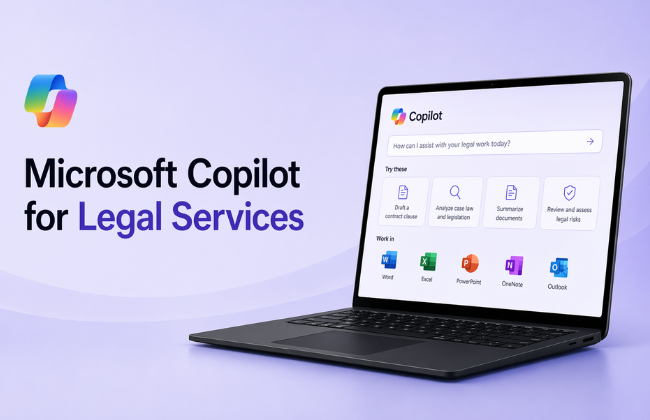
M365 Copilot for Legal Services is a half-day, scenario-based workshop that teaches legal professionals how to prompt Microsoft Copilot effectively, apply disciplined legal reasoning, and use the Researcher agent to scale legal research once the fundamentals are in place.

Participants learn how to use Copilot to support drafting, summarisation, and analysis tasks while maintaining clear boundaries between AI assistance and legal advice. Skills are applied across realistic legal service scenarios involving document review, issue identification, and internal decision support.

Who should attend: Legal practitioners and in-house counsel, legal assistants and paralegals, compliance and governance professionals, and anyone supporting legal drafting, review, or research tasks.

By the end of this course, you will be able to:

  • Write clear, effective prompts using a repeatable structure
  • Use Copilot to assist with legal drafting and review tasks
  • Identify risks, gaps, and ambiguities in legal material
  • Apply prompting discipline across common legal workflows
  • Recognise when deeper legal research is required
  • Use the Researcher agent to scale legal research responsibly

Prerequisite:

Access to Microsoft 365 Copilot is recommended. Familiarity with basic legal concepts and documents. No prior AI, prompting, or Researcher experience is required.

Course Details

Download Course PDF
Price
₱ 21,300
Duration
3 hours
Times
9am-4pm
Class Size (max)
8
Class Size (avg)
6
Reference Materials
Provided
CPD Hours
3 hours
Delivery
Instructor-led training
Live Online
Address
Remote Classes
N/A

Course Details

Download Course PDF
Price
₱ 21,300
Duration
3 hours
Times
9am-4pm
Class Size (max)
8
Class Size (avg)
6
Reference Materials
Provided
CPD Hours
3 hours
Delivery
Instructor-led training
Live Online
Address
Lumify Philippines
17F SM Aura Tower
Bonifacio Global City
Taguig
1630
Philippines

Upcoming Courses

Manila

Remote PH

Manila

We currently have no public courses scheduled. Please contact us to register your interest.

Remote PH

We currently have no public courses scheduled. Please contact us to register your interest.

Scheduled
Taking enrollments.
Confirmed
Taking enrollments.
Few Seats left
Book Now.
Sold Out
Try another date.

Copilot Training Courses

Course Icon Copilot for M365

Learn how to use Copilot across Word, Excel, Outlook and more. Get hands-on with AI-powered tools to boost productivity and streamline everyday tasks.

download course pdf
Price: ₱ 23,200
Course Icon Copilot for Excel

Use Copilot to analyse data, write formulas, build dashboards and automate reporting. Make Excel smarter, faster and easier.

download course pdf
Price: ₱ 26,500
Course Icon Copilot for Outlook and Teams

Work smarter in Outlook and Teams. Learn how Copilot helps you manage emails, plan meetings and collaborate more efficiently.

download course pdf
Price: ₱ 26,500
Course Icon Copilot for PowerPoint

Turn ideas into polished presentations with AI. Learn how to draft slides, enhance visuals and create content using natural language.

download course pdf
Price: ₱ 26,500
Course Icon Copilot for Word

Write, edit and summarise documents faster with Copilot. Save time and improve quality using AI in Microsoft Word.

download course pdf
Price: ₱ 26,500
Course Icon Microsoft Copilot Studio: Building AI Agents

Build and customise Copilot agents for your organisation. Learn how to design, train and share Copilot agents using Microsoft 365 data and natural language prompts.

download course pdf
Price: ₱ 26,500
Course Icon Copilot for Power BI

Learn Power BI Copilot training to prepare semantic models, generate insights, and apply governance for accurate, trusted AI-driven analytics.

download course pdf
Price: ₱ 26,500
Course Icon Copilot for Executives and Managers

Lead smarter with Copilot. This half-day course helps executives and managers use AI to summarise, communicate, and make decisions more effectively.

download course pdf
Price: ₱ 21,300
Course Icon Copilot for HR

Research, advise, and communicate with more confidence using Copilot. This scenario-based workshop builds prompting, HR reasoning, and decision support skills for HR-focused roles.

download course pdf
Price: ₱ 21,300
Course Icon Copilot for Finance

Analyse data, validate outputs, and communicate with more confidence using Copilot. This scenario-based workshop builds prompting, financial judgement, and decision support skills for finance-focused roles.

download course pdf
Price: ₱ 21,300
Course Icon Copilot for Operations

Plan, coordinate, and respond with more clarity using Copilot. This scenario-based workshop builds prompting, operational thinking, and decision support skills for operations-focused roles.

download course pdf
Price: ₱ 21,300
Course Icon Copilot for Sales

Research smarter and sell with more confidence using Copilot. This scenario-based workshop builds prompting, discovery, and research skills for sales-focused roles.

download course pdf
Price: ₱ 21,300
Course Icon Copilot for Marketing

Plan, create, and refine marketing work with more confidence using Copilot. This scenario-based workshop builds prompting, research, and campaign decision support skills for marketing-focused roles.

download course pdf
Price: ₱ 21,300

M365 Copilot for Legal Services Course Content

Expand All | Collapse All

Prompting Effectively with Copilot

Why vague prompts create legal risk

The Goal-Context-Sources-Expectations prompt model

Using constraints to control scope, tone, and jurisdiction

Preventing hallucination, overreach, and implied legal advice

Refining a prompt once, then validating manually

Legal Document Review and Issue Identification

Reviewing a contract, policy, or legal document

Identifying key clauses, obligations, and risks

Highlighting ambiguity or missing information

Distinguishing facts from interpretation

Output: legal issue summary

Drafting and Rewriting Legal Content

Using Copilot to draft or rewrite legal text

Controlling language precision and neutrality

Ensuring outputs remain within drafting assistance boundaries

Output: draft or revised legal document section

Legal Advice Structuring (Not Advice Generation)

Outlining possible legal considerations or approaches

Identifying risks, dependencies, and unknowns

Preparing internal discussion points rather than advice

Output: legal considerations outline

Legal Options and Internal Decision Support

Presenting alternative legal options or interpretations

Making trade-offs explicit (risk, precedent, compliance)

Drafting internal justification language

Output: legal options summary

Researcher Agent: Scaling Legal Research After the Fundamentals

Why Researcher is not a substitute for legal judgement

When Researcher is appropriate (case law scanning, legislative comparison, precedent research)

How to convert manual legal research steps into a Researcher task

Responding to Researcher clarification questions

Reviewing and validating Researcher outputs before use

Frequently Asked Questions

What is this course about?

M365 Copilot for Legal Services is a half-day, scenario-based workshop that teaches legal professionals how to prompt Microsoft Copilot effectively, apply disciplined legal reasoning, and use the Researcher agent to scale legal research once the fundamentals are in place. It focuses on drafting quality, review accuracy, and responsible AI use across legal work.

Who should attend this course?

This course is suited to legal practitioners and in-house counsel, legal assistants and paralegals, compliance and governance professionals, and anyone supporting legal drafting, review, or research tasks. No prior AI or prompting experience is required.

What will I be able to do after completing this course?

You will be able to write clear, effective prompts using a repeatable structure, use Copilot to assist with legal drafting and review tasks, identify risks, gaps, and ambiguities in legal material, apply prompting discipline across common legal workflows, recognise when deeper legal research is required, and use the Researcher agent to scale legal research responsibly.

What is the Researcher agent and when is it introduced?

The Researcher agent is a Microsoft 365 Copilot capability that can accelerate legal research tasks such as case law scanning, legislative comparison, and precedent research. It is introduced only after participants have demonstrated that they can interpret legal material and risks themselves, ensuring it is used to support professional judgement, not replace it.

Do I need any prior AI or Copilot experience?

No prior AI, prompting, or Researcher experience is required. Familiarity with basic legal concepts and documents is expected. Access to Microsoft 365 Copilot is recommended to get the most from the hands-on exercises.

How long is the course and how is it delivered?

The course runs for half a day (3.5 hours). It is delivered instructor-led, either in-person or live online, and is scenario-based and hands-on throughout.

What scenarios are covered in the course?

The course includes realistic legal scenarios covering legal document review and issue identification, drafting and rewriting legal content, legal considerations structuring for internal discussion, and legal options with internal decision support. Each scenario produces a practical output that participants can immediately apply in their role.

Will there be practical exercises?

Yes. The entire course is scenario-based and hands-on. Participants work through realistic legal situations and leave with practical outputs including a legal issue summary, a draft or revised legal document section, a legal considerations outline, a legal options summary, and a repeatable prompting framework they can apply immediately.

Is there a certificate upon completion?

Yes. You will receive a Nexacu Certificate of Completion to verify your skills with Microsoft 365 Copilot for Legal Services. It is ideal for sharing on LinkedIn or adding to your professional development record.

Can this course be delivered for my team or organisation?

Yes. This course is available as a private, customised session for teams and organisations. Contact Nexacu to discuss group bookings, tailored scenarios, or workplace training options.

Course Details

Download Course PDF
Price
₱ 21,300
Duration
3 hours
Times
9am-4pm
Class Size (max)
8
Class Size (avg)
6
Reference Materials
Provided
CPD Hours
3 hours
Delivery
Instructor-led training
Live Online
Address
Remote Classes
N/A

Course Details

Download Course PDF
Price
₱ 21,300
Duration
3 hours
Times
9am-4pm
Class Size (max)
8
Class Size (avg)
6
Reference Materials
Provided
CPD Hours
3 hours
Delivery
Instructor-led training
Live Online
Address
Lumify Philippines
17F SM Aura Tower
Bonifacio Global City
Taguig
1630
Philippines

skills test nexacu

Skills Test

Try our short skills test and find out which course is right for you.

 skills test


Locations In-Person & Online

Find the nearest location and date that works for you

Locations In-Person & Online

Find the nearest location and date that works for you

Related Training Courses

Course Icon Copilot for M365

Learn how to use Copilot across Word, Excel, Outlook and more. Get hands-on with AI-powered tools to boost productivity and streamline everyday tasks.

download course pdf
Price: ₱ 23,200
Course Icon Copilot for Excel

Use Copilot to analyse data, write formulas, build dashboards and automate reporting. Make Excel smarter, faster and easier.

download course pdf
Price: ₱ 26,500
Course Icon Copilot for Outlook and Teams

Work smarter in Outlook and Teams. Learn how Copilot helps you manage emails, plan meetings and collaborate more efficiently.

download course pdf
Price: ₱ 26,500
Course Icon Copilot for PowerPoint

Turn ideas into polished presentations with AI. Learn how to draft slides, enhance visuals and create content using natural language.

download course pdf
Price: ₱ 26,500
Course Icon Copilot for Word

Write, edit and summarise documents faster with Copilot. Save time and improve quality using AI in Microsoft Word.

download course pdf
Price: ₱ 26,500
Course Icon Microsoft Copilot Studio: Building AI Agents

Build and customise Copilot agents for your organisation. Learn how to design, train and share Copilot agents using Microsoft 365 data and natural language prompts.

download course pdf
Price: ₱ 26,500
Course Icon Copilot for Power BI

Learn Power BI Copilot training to prepare semantic models, generate insights, and apply governance for accurate, trusted AI-driven analytics.

download course pdf
Price: ₱ 26,500
Course Icon Copilot for Executives and Managers

Lead smarter with Copilot. This half-day course helps executives and managers use AI to summarise, communicate, and make decisions more effectively.

download course pdf
Price: ₱ 21,300
Course Icon Copilot for HR

Research, advise, and communicate with more confidence using Copilot. This scenario-based workshop builds prompting, HR reasoning, and decision support skills for HR-focused roles.

download course pdf
Price: ₱ 21,300
Course Icon Copilot for Finance

Analyse data, validate outputs, and communicate with more confidence using Copilot. This scenario-based workshop builds prompting, financial judgement, and decision support skills for finance-focused roles.

download course pdf
Price: ₱ 21,300
Course Icon Copilot for Operations

Plan, coordinate, and respond with more clarity using Copilot. This scenario-based workshop builds prompting, operational thinking, and decision support skills for operations-focused roles.

download course pdf
Price: ₱ 21,300
Course Icon Copilot for Sales

Research smarter and sell with more confidence using Copilot. This scenario-based workshop builds prompting, discovery, and research skills for sales-focused roles.

download course pdf
Price: ₱ 21,300
Course Icon Copilot for Marketing

Plan, create, and refine marketing work with more confidence using Copilot. This scenario-based workshop builds prompting, research, and campaign decision support skills for marketing-focused roles.

download course pdf
Price: ₱ 21,300

Locations In-Person & Online

Find the nearest location and date that works for you

Locations In-Person & Online

Find the nearest location and date that works for you

Trusted Globally by Leading Organisations

At Nexacu, we are proud to be the trusted training partner for hundreds of leading organisations across Australia, New Zealand, and around the world. From government agencies to multinational corporations, we help teams build practical skills and achieve real outcomes through expert-led training.

  • 400+ companies rely on Nexacu for workforce development
  • Trusted by government agencies at all levels
  • Delivering training across 9 countries and growing

Why Nexacu? 

step by step courseware

Step by Step Courseware

Custom workbook included with a step by step exercises

Facility Image 2
Facility Image 3
Facility Image 1

Interactive real time training

Interactive, Real-Time Training

Learn with expert instructors, wherever you are

Trusted by Business

Trusted by Business

Procured by Government

Procured by Goverment

Reviews Not Found

Valued by Individuals