Recent Searches
Category

Microsoft Copilot Courses

Category

Microsoft Power BI

Category

AI for Business

Category

Microsoft Excel

Category

Professional Development

Category

Microsoft Office 365

Category

Excel Specialist

Category

Microsoft Project

Category

R Programming

Category

Python

Category

SQL

Category

Power Apps

Category

SharePoint

Category

Power Automate

Category

Microsoft Teams

Category

Microsoft Visio

Category

Microsoft PowerPoint

Category

Microsoft Word

Category

Microsoft Outlook

Category

HTML Courses

Category

WordPress

Category

Canva Courses

Category

Microsoft Access

Category

Webinars

Course

Copilot for M365

Course

Power BI Beginner

Course

ChatGPT Beginner

Course

Excel Beginner

Course

Achieving Leadership & Success

Course

Microsoft 365 Beginner

Course

Financial Modelling

Course

Project Beginner

Course

R Programming Beginner

Course

Python Beginner

Course

SQL Beginner

Course

Power Apps Beginner

Course

SharePoint Beginner

Course

Teams Essentials

Course

Visio Essentials

Course

PowerPoint Level 1

Course

Word Beginner

Course

Microsoft Outlook Beginner to Intermediate

Course

WordPress Essentials

Course

Canva Beginners

Course

Microsoft Access Essentials

Course

Build Your EQ Power: Practical Skills for Everyday Work

Course

Copilot for Word

Course

Power BI Intermediate

Course

Excel Intermediate

Course

Microsoft 365 Intermediate

Course

Analysis and Dashboards

Course

Project Intermediate

Course

R Programming Intermediate

Course

Python Intermediate

Course

SQL Intermediate

Course

Power Apps Intermediate

Course

SharePoint Intermediate

Course

PowerPoint Level 2

Course

Word Intermediate

Course

Canva Intermediate

Course

Microsoft Access Advanced

Course

Practical Project Management Webinar

Course

Copilot for Excel

Course

Power BI Advanced

Course

Excel Advanced

Course

Microsoft 365 Advanced

Course

Excel VBA

Course

Project Advanced

Course

R Programming Advanced

Course

Python Advanced

Course

SQL Advanced

Course

Power Apps Advanced

Course

SharePoint Advanced (Site Owner)

Course

Word Advanced

Course

Canva Advanced

Course

Minutes Taking Webinar

Course

Copilot for PowerPoint

Course

Power BI DAX

Course

Excel Expert

Course

Machine Learning in R

Course

SharePoint Advanced

Course

Maximising Your Copilot Investment: Turning AI into Real Productivity Gains

Course

Copilot for Outlook and Teams

Course

AI in the Workplace Webinar

Course

Writing Great Prompts for AI

Course

Inclusive App Development with Power Apps

Course

Power Automate Beginner

Course

Power Automate Intermediate

Course

Microsoft Outlook Advanced

Course

AI Prompting Fundamentals

Course

Power Automate Advanced

Course

Excel Tables and Pivot Tables

Course

Data Transformation with Power Query

Course

Excel Macro Mastery

Course

Power BI Desktop Advanced Reporting

Course

AI for Business Leaders and Managers

Course

Data Visualisation with Power BI Desktop

Course

AI for Business Leaders

Course

Anger Management & Negotiation Skills

Course

Assertiveness & Confidence

Course

Building Resilience

Course

Coaching and Mentoring

Course

Communications

Course

Communications & Quality Client Service Training

Course

Critical Thinking and Problem Solving

Course

Cultural Diversity in the Workplace

Course

Embracing Change

Course

Growing Emotional Intelligence

Course

Minute Taking

Course

Persuasion and Negotiation Skills

Course

Presentation Skills and Public Speaking

Course

Practical Project Management

Course

Respect, Equity and Diversity (RED)

Course

Resumé Writing and Interview Skills

Course

Stress Management

Course

Team Leadership, Management and Development

Course

Time Management Intensive

Course

Train the Trainer

Course

Write Effective Business Documents

Course

Dealing with Difficult People

Course

Managing Difficult Conversations

Course

Managing the Virtual Workplace

Windows 10 Support Ends 14 Oct 2025 – What You Need to Know

Windows 10 reaches end of support on 14 October 2025. Learn what “unsupported” means, who’s affected, and how ESU fits in. Get practical steps for hardware checks, migrations, and change management plus how Nexacu’s Windows 11 training reduces risk, boosts productivity, and keeps organisations compliant.


Power BI March Updates

Power BI, Microsoft’s suite of business analytics tools has had a lot of updates this month. Here’s a quick overview of what’s new in March.

Training investment
Why invest in training and development

Training staff involves planning, resource allocation and effort. But taking the time and money out to provide for employee development is a prime opportunity – it can provide an invaluable return on investment, place your company ahead of its competitors, save you money and increase your employees’ performance. Here’s why you should invest in staff training and development.

Power BI Pro vs Power BI Premium
Power BI License Options

Understand the differences between the Power BI license options, so you can choose the best platform to suit both your needs and your customers’.

Publishing in PowerApps
Four trends for the future of workplaces

The whole concept of work, how it’s carried out and by whom is undergoing profound change in 2019. As more Millennials and Gen Z enter into and begin to take over the workforce, many traditional work structures and processes are being questioned.

Excel spreadsheet
How to create Pivot Tables in Excel

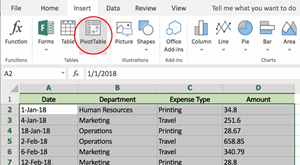
Pivot Tables are one of the most powerful tools in Excel. A Pivot Table is a table of statistics that summarises data from a more extensive table. Here’s a quick overview of how to create your own Pivot Table.

Excel Consulting new training room
New Sydney CBD Training Location

Nexacu has grown in the key market of Sydney to now operate two training rooms in its prime CBD location.  This allows for more frequent offering of popular training courses in Microsoft end-user products.  We look forward to seeing you in our Sydney or Parramatta classrooms soon.

List of employee names in a spreadsheet
How to create a drop-down list in Excel

Drop-down lists are a great way to work as efficiently as possible with data entry in Excel. This short guide will show you how to make your own custom drop-down list in five easy steps.

Business man on phone looking at Productivity written on wall
8 ways to use Microsoft Flow

Microsoft Flow is a versatile tool, providing streamlined business solutions to its users.


Microsoft Gold Partner
Nexacu is now a Microsoft Gold Partner

Nexacu is now a Microsoft Gold Partner.  Microsoft recognise leading partners with either a Silver or Gold status, based on a series of criteria that must be met and maintained.  Nexacu is a leading provider of Microsoft training courses to end-users.

Microsoft Project Gantt Chart
Easy Gantt Charts in Excel

Tracking a series of related tasks against time is a process we perform often in both the workplace and in other aspects of our lives.

Infographic visualisation
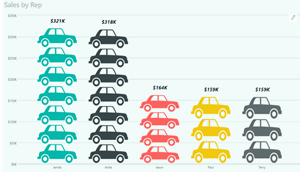
Creating Infographics in Power BI

One of the best ways to communicate your data effectively is to create a story with your data. You can create a number of effective visualisations for your data by using infographics in Power BI. Make it fun, get your readers attention!

Microsoft Flow trigger for Forms
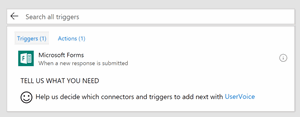
Connecting Microsoft Forms & Flow

Microsoft Forms and Microsoft Flow are two very useful software applications. They become even more powerful when used together.

Excel and AI
Where AI and Excel Meet – Ignite Updates

Microsoft has just made AI and Excel a thing. The new updates from the Microsoft Ignite festival is something you don't want to miss. Check it out now.

Tips for higher adoption rates for end-user training
Encouraging higher software adoption

Encourage higher adoption rates with end-user training.  Knowing who your end-users are and what skills gaps exist, you can gain significant productivity and outcome improvements with the right training course.

Creating a Microsoft Forms
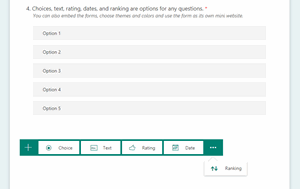
Forms is the sneaky tool you are yet to use

There’s no secret that Microsoft has a lot of applications within the Office 365 suite. However, Microsoft Forms allows you to accomplish things that other apps don’t such as quizzes, data recording and creating workflows.

Groups and Channels in Microsoft Teams

Understanding how teams, groups and channels all interact with each other in the Office 365 environment is at the very least confusing and often times frustrating. Check out our rundown below to get a better idea how all the pieces are meant to fit together.

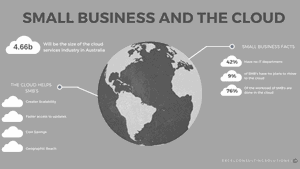
Small business and the cloud infographic
Stay Competitive with the Cloud

The past 25 years has seen a progression of people needing to be in the office less and less. It’s no longer the only place where work can be done. Email has replaced the post room, mobiles have replaced fixed line phones, laptops have replaced desktops and all the while all of these options have become more accessible and more efficient.

Cloud computing is the obvious next step in this progression. With more businesses that are set up remotely, cloud computing allows companies the freedom to compete with larger organisations with less of the resources. Or rather, more efficient resources.

Watercolour picture of website designs
Understanding SharePoint Permissions

SharePoint permissions become important after you have created your first SharePoint site. With your new site you may want to provide or restrict user access to the site or its contents.

Remote Working
Why Remote Workers perform better

Office workers find it more difficult to concentrate at their desks. Read why companies are opting for remote work and how you can begin to start integrating it in your business today.


Topics

SQL
css

Trusted Globally by Leading Organisations

At Nexacu, we are proud to be the trusted training partner for hundreds of leading organisations across Australia, New Zealand, and around the world. From government agencies to multinational corporations, we help teams build practical skills and achieve real outcomes through expert-led training.

  • 400+ companies rely on Nexacu for workforce development
  • Trusted by government agencies at all levels
  • Delivering training across 9 countries and growing

Why Nexacu? 

step by step courseware

Step by Step Courseware

Custom workbook included with a step by step exercises

Facility Image 2
Facility Image 3
Facility Image 1

Interactive real time training

Interactive, Real-Time Training

Learn with expert instructors, wherever you are

Trusted by Business

Trusted by Business

Procured by Government

Procured by Goverment

Reviews Not Found

Valued by Individuals